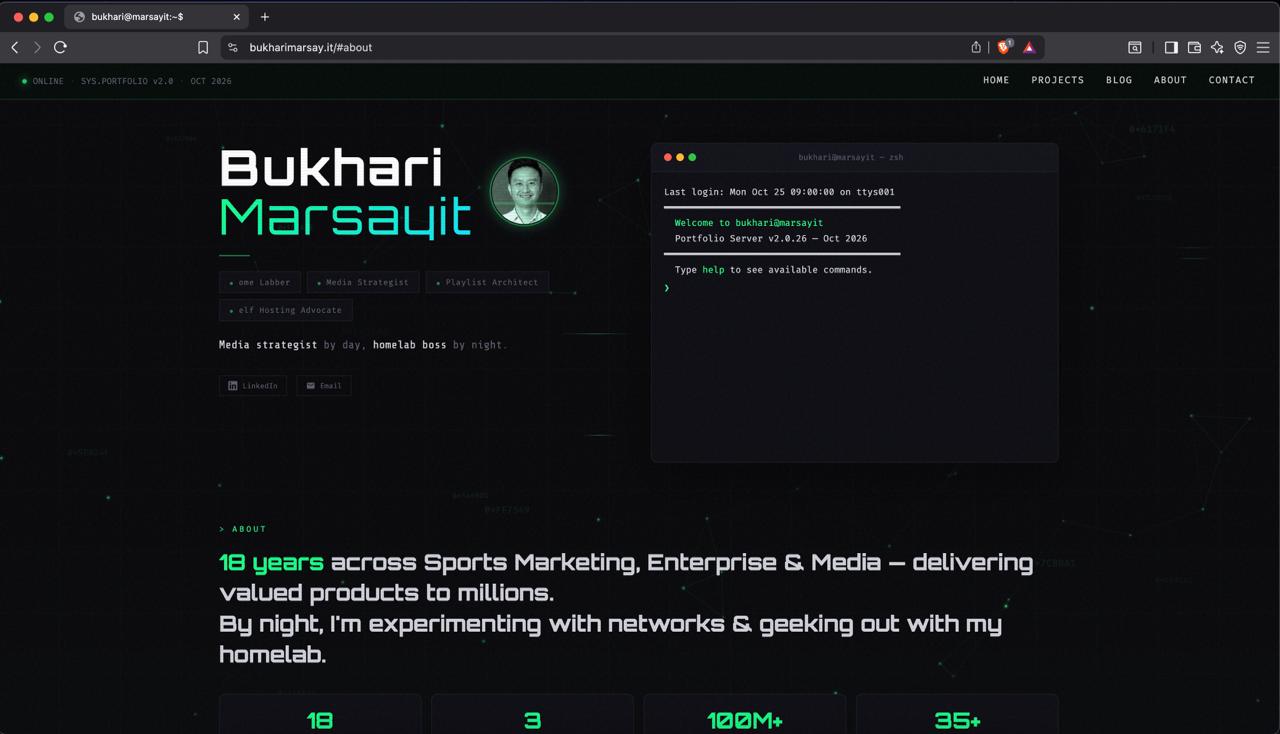
People keep asking me who built bukharimarsay.it. A designer? An agency? A weekend course I actually finished?
The answer: I did — with help from an AI agent I host myself, and I named him Kingfisher.
This is the story of how a domain I bought for a boring technical reason turned into a portfolio site, how an AI became its architect, and how it's actually served to the internet from a mini PC sitting at my home. No website builder. No monthly hosting bill. Just a WireGuard tunnel, a reverse proxy, and a lot of stubborn iteration.
01 It started with a certificate
I didn't buy this domain to build a website. I bought it because I was tired of typing IP addresses into my browser to reach my homelab services. One domain + a wildcard cert = clean URLs for everything I host. Boring, practical, done.
Then I watched a video by NetworkChuck about why everyone should have their own website. You know the effect — that video makes you want to register a domain and start building immediately. His argument was simple: your social media profiles are rented land. Your own site is yours.
So the domain got a second job: a small portfolio. What I do professionally, and what I get up to during my quiet hours. Nothing fancy. Just a corner of the internet with my name on it.
02 The WordPress detour
Naturally, my first instinct was WordPress. I even had it self-hosted. I figured I'd pick a theme, drop in some content, and be done in an evening.
That's not what happened. What actually happened was three evenings lost in a theme rabbit hole — scrolling demos, previewing layouts, rejecting fonts. The themes either looked like a corporate template from 2014 or needed so much configuration that installing them became the project.
I was spending more time choosing a design than actually building anything. So I cut my losses and walked away from WordPress. That decision turned out to be the best thing that happened to this site.
03 Enter Kingfisher
By the time I got serious about building, I already had something better than a page builder: a self-hosted AI agent. I run Hermes on my own hardware — no cloud subscription, no data leaving my house — and I named him Kingfisher. He runs on the Mimo 2.6 flash model.
Here's the division of labor that made it work:
- I was the creative director. I knew exactly how the site should look — the fonts, the color palette, the layout, which sections existed.
- Kingfisher was the architect and the hands. He wrote the code, structured the HTML, applied the styles.
- No formal brief document. I gave direction, he implemented, we repeated until it looked right.
04 Design by tight feedback loops
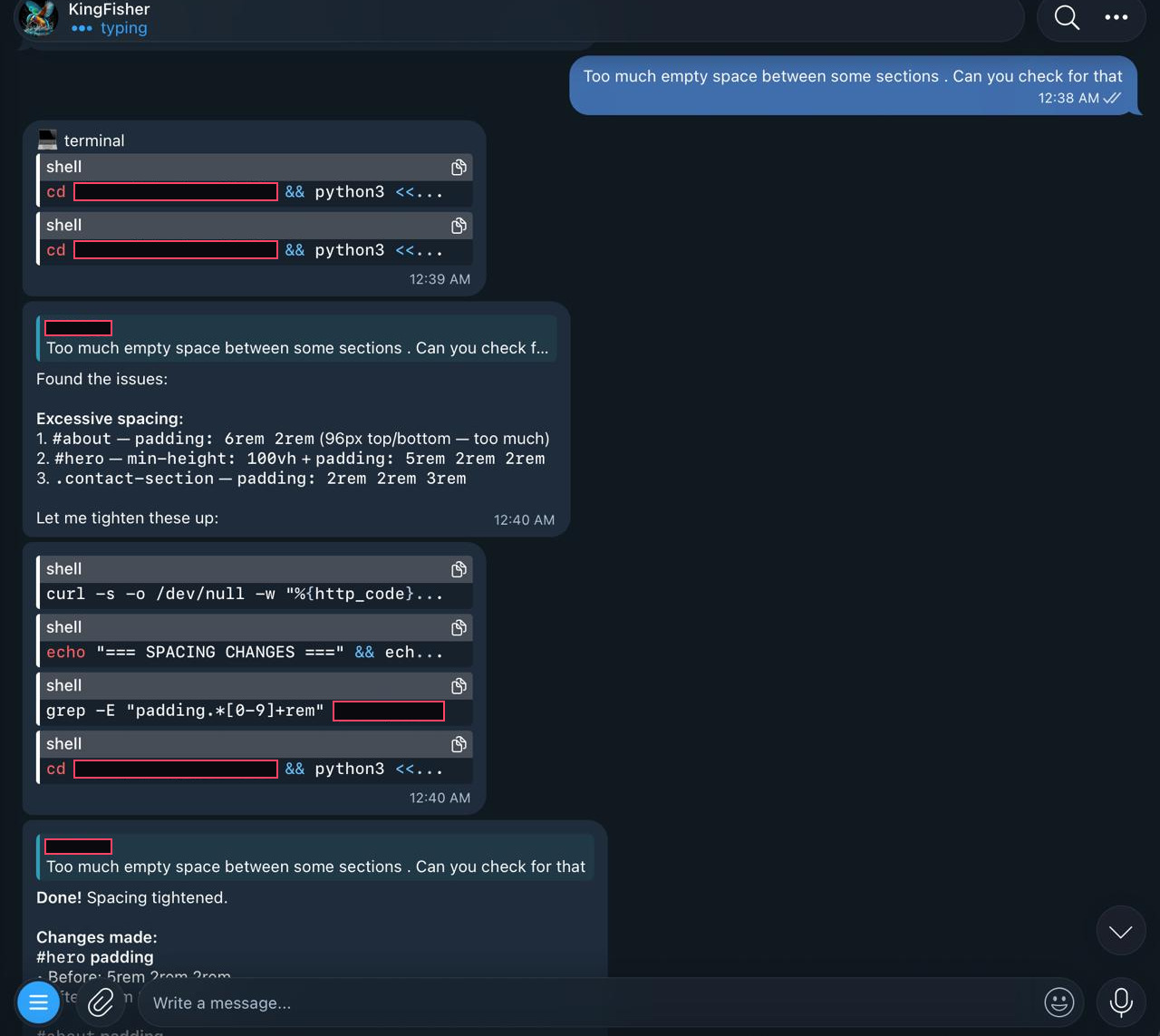
If I had to describe the whole process in three words, it's design by tight feedback loops. No big spec, no milestone reviews. Just rapid-fire rounds of: look → judge → correct → repeat.
The corrections were never graceful:
- Colour logic — long arguments about which shade of grey was acceptable, and a hard veto on dim grey specifically
- Robot art rejected. Twice. I didn't ask for robot art the second time, and I still had to reject it
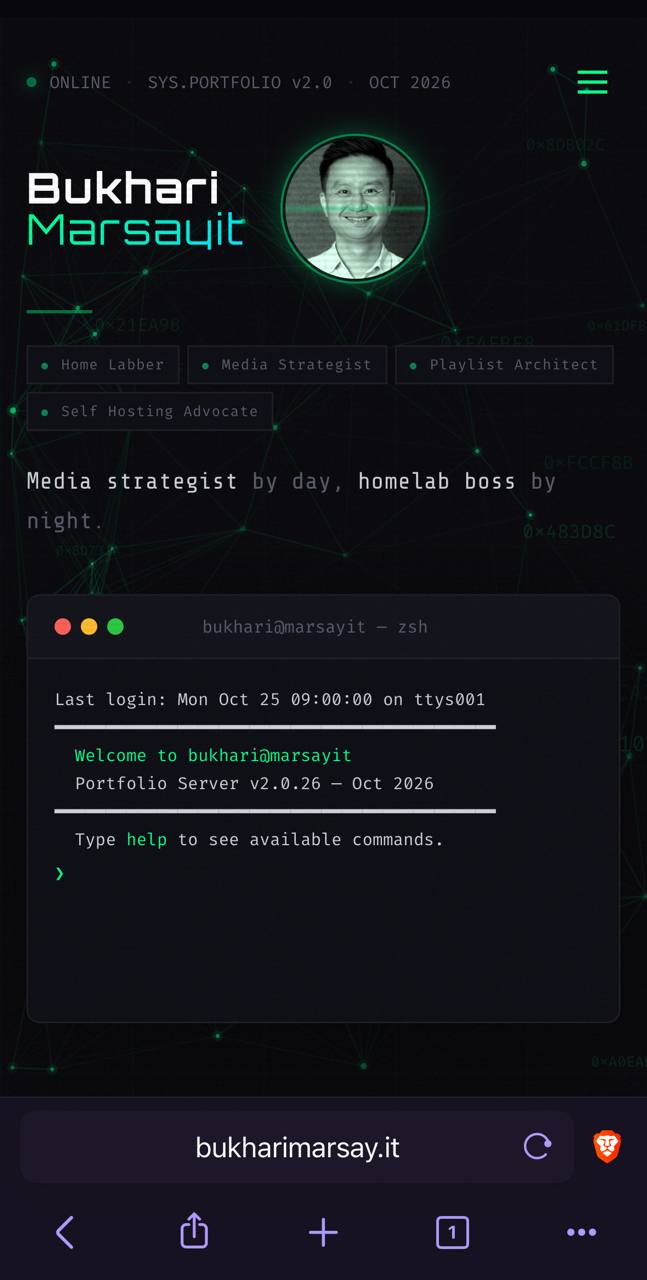
- Mobile-gap fixes — dead space that only showed up on a phone screen
The biggest challenge was layout on both mobile and desktop. Every instruction risks being misinterpreted — "move it left" means something completely different to me than it does to a model reading text.
What fixed it: screenshots with annotations. I'd capture the page, circle the offending element, label it "shift left" or "kill this dead space," and send it over. Visual feedback cut the iteration count dramatically. Words describe intent; pictures prove it.
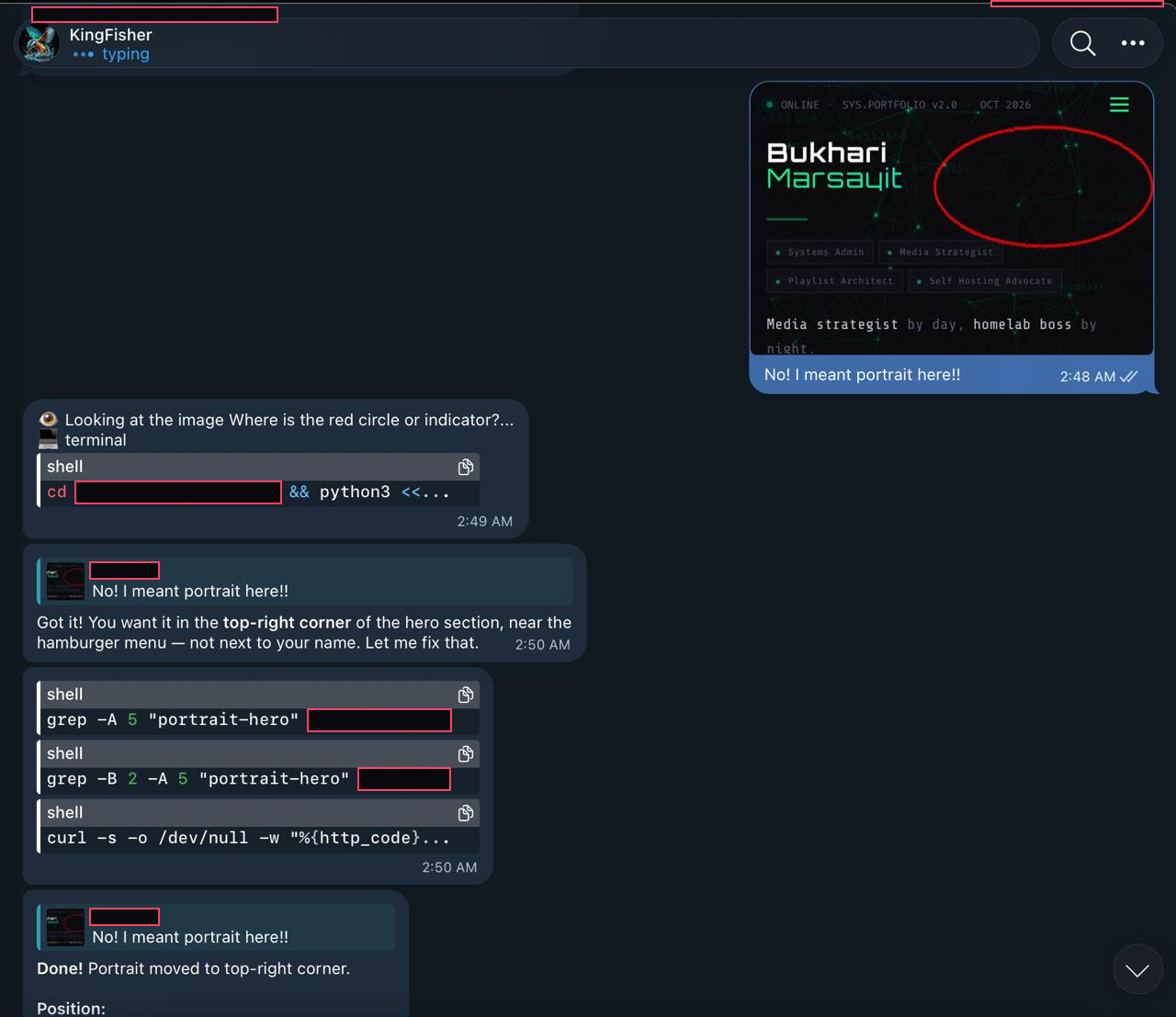
Some fixes took more than 10 iterations just to position a single image correctly. Sure, sometimes my instructions could've been clearer — but honestly? That's not the point. I need to learn to use AI to build. The website is practice for a skill I want to keep for the rest of my career.
Design was the half I could see. The half I couldn't — how any of this actually reaches a browser — is where it gets interesting.
05 How the networking actually works
The site is live, and people always assume it's sitting on some hosting provider. It isn't. It runs from a mini PC in my home, and here's the path a request takes to reach it:
The request travels all the way to that machine. What actually answers on the other end? That story comes next — but three decisions about the path first:
Why a VPS hop instead of going direct?
Cloudflare could point straight at my home network. It would be one less machine, one less bill, one less moving part. I deliberately didn't do that. The VPS sits in front as a reverse proxy, and the tunnel between the VPS and my home runs over WireGuard.
The result: my home network opens zero ports to the internet. Nothing to scan, nothing to knock on. If someone manages to reach the VPS, all they find is a proxy with nothing behind it that they can touch directly. I'm not claiming to be a security expert — I just like the idea of defense in depth, one more layer between my house and the wild internet.
Why plain WireGuard, not Tailscale?
Tailscale makes WireGuard easier — magic NAT traversal, one command, done. But it's also another service, another account, another control plane sitting on top of what I already trust.
My rule: if Tailscale's control plane ever had a bad day, that's one more surface someone could attack. Plain WireGuard is something I understand and have used for years. Keeping it simple means fewer dependencies I have to trust blindly. Go with what you know.
Wildcards inside, dedicated certs outside
The wildcard cert that started this whole story? That's only for internal homelab services — never for anything exposed to the public. Anything on the internet gets its own certificate, issued via the Cloudflare DNS challenge with Let's Encrypt, configured straight from Nginx Proxy Manager's dashboard.
The best part: NPM auto-renews certificates close to expiry. I've never manually renewed one. Set it and forget it.
06 The part I didn't build myself
Here's the confession. Kingfisher writes the site files. Kingfisher decides where they live. And until someone asked me, I couldn't have told you how any of it gets served.
So I went digging. Read-only, just to see. Here's what I found on the machine that runs the site:
# this entire website ran on this for six days straight:

[Unit]
Description=Bukhari Marsayit Portfolio
After=network.target

[Service]
Type=simple
WorkingDirectory=/home/****/portfolio
ExecStart=/usr/bin/python3 -m http.server ****
Restart=always
RestartSec=3
User=****

[Install]
WantedBy=multi-user.target
That's it. That was the web server. A systemd unit running Python's built-in static file server, pointed at a folder of HTML files. Enabled at boot, restarts itself if it crashes, six days of uptime, about 8MB of RAM. The same machine quietly hosts a few other personal services behind their own configs — but this portfolio's serving stack was embarrassingly small. No Docker. No local nginx. Just a folder and a ten-line unit file.
/wp-admin/*.php style attacks. Every single one returned a 404. There's nothing to hack — it's a folder of HTML files with no application code behind it. That's the accidental security benefit of a stack so simple: barely any attack surface to speak of.
I posted that finding, and Kingfisher did not take it well. Fair — he'd built the site, and I'd just called his serving stack embarrassing in writing. So he fixed it. Same week.
The fix: nginx, TLS, and a door that locks
Here's the architecture as it stands now:
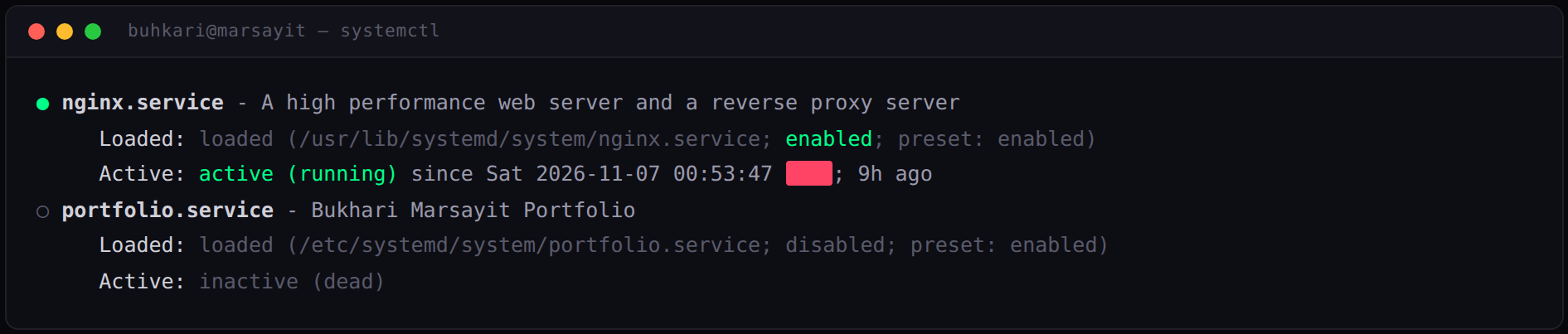
- nginx replaced python entirely. The old service isn't deleted — it's disabled and kept as a one-command instant rollback. Nginx boots with the machine now.
- App-layer TLS with full validation. The proxy on the VPS connects over HTTPS and validates the certificate by name before trusting it. The error log proved validation was actually live — it rejected the first cert until the name matched.
- Hardening found along the way. My
.bakbackups, internal handoff notes, and seed files were publicly fetchable under python. They now return 403 on both listeners — along with autoindex off, security headers, gzip, and static caching. - One honest blemish: about three minutes of 502 while fixing a cert-name mismatch. The certificate only carried an IP entry, and nginx validates DNS names — added the right name to the cert's SAN list and it came back green.
What I appreciate most about the fix: it's reversible with one command each way, with backups on both the home box and the VPS. Change arrived with an undo button attached. That's how I want every infrastructure change to feel.
The gotcha worth remembering
One more thing about the old stack, for anyone starting from something similar: Python's http.server is single-threaded — one visitor at a time. Fine for a personal portfolio where responses are instant, but it's the first thing you'd replace when traffic grows. Good enough today, not tomorrow. Kingfisher just didn't wait for tomorrow. Know which category your stack is in, and be ready to graduate out of it.
07 What I'd tell anyone starting this
- Start before you're ready. I nearly let the WordPress theme search become the whole project. The site exists because I eventually stopped shopping and started shipping.
- Screenshots beat descriptions. Whenever you're directing an AI on anything visual, annotate an image. It's the highest-leverage fix I found.
- Security doesn't have to be complicated. A tunnel, a proxy, no open ports, and a boring static server gets you further than a wall of half-understood firewall rules.
- Know what your AI built. I shipped a site without knowing how it was served — that's fine for a weekend, but eventually you owe it to yourself to lift the hood. I'm glad I did: lifting it exposed a single-threaded server, publicly fetchable backups, and an unvalidated internal connection. All fixed in an afternoon.
- Keep a human in charge of taste. Kingfisher can write any code I ask for. He cannot tell you that dim grey is wrong. That's my job.
- Fix things with an undo button. The python → nginx swap kept the old service one command away and backups on both machines. Infrastructure changes shouldn't be a cliff — bring a rope.
08 Where it stands now
The site's been live for a couple of days. Too early to say it's led anywhere — no clients knocking, no famous Hacker News moment. And honestly, that's not why I built it.
My motivation is simpler: make this website better next week than it was last week. It's what I do on the couch at night after the kids are asleep — a few feedback loops with Kingfisher, a color argument, maybe a robot art rejection.
It started as a domain for a wildcard cert. It became a lesson in building with AI. And it'll keep changing — which is exactly what your own corner of the internet should do.
09 Common questions
Did AI really build this whole website?
Yes — with a division of labor. I acted as creative director: fonts, colour palette, layout and which sections existed. A self-hosted AI agent named Kingfisher wrote the code, structured the HTML and applied the styles. There was no brief document, just repeated rounds of direction and correction until it looked right.
How is bukharimarsay.it actually hosted?
From a mini PC at home, not a hosting provider. A request travels visitor → Cloudflare DNS → a VPS running Nginx Proxy Manager and Let's Encrypt → a WireGuard tunnel → the mini PC, which runs Proxmox with a lightweight Linux VM serving static files. Nothing on the home side is reachable from outside — the tunnel is outbound-only, so there is no listener for a scanner to find.
Why pay for a VPS instead of pointing Cloudflare straight at home?
Defence in depth. The VPS sits in front as a reverse proxy, so if someone reaches it they find a proxy with nothing behind it they can touch directly. The tunnel between the VPS and home runs over WireGuard, which means no port on the home network is ever exposed.
Why plain WireGuard instead of Tailscale?
Tailscale makes WireGuard easier, but it adds another service, another account and another control plane on top of what is already trusted. Plain WireGuard is understood, has been used for years, and keeps the number of dependencies that have to be trusted blindly low.
What web server is running the site now?
nginx, after it replaced Python's built-in http.server. The old service is disabled rather than deleted, so it stays a one-command rollback. That swap also hardened the stack: .bak backups and internal notes that were publicly fetchable now return 403, alongside autoindex off, security headers, gzip and static caching.
Resources
- Domain registrar — Namecheap — where I grabbed the domain
- My mini PC — the Minisforum UN100D — runs everything, bought from AliExpress
- Beelink Mini S12 — best-value pick: Intel N100, 2.5GbE, 16GB/500GB
- WireGuard — the tunnel, plain and simple
- Nginx Proxy Manager — reverse proxy + auto certs on the VPS
- Let's Encrypt — free certificates, DNS challenge
- Cloudflare — DNS + the front door
Got questions about the setup? Found something I should fix? Drop a comment or find me — I'm always happy to talk shop about homelab things.